Find tools › Claude Code mods › Safety and privacy

devtools
Claude Code mod · by NMenzel
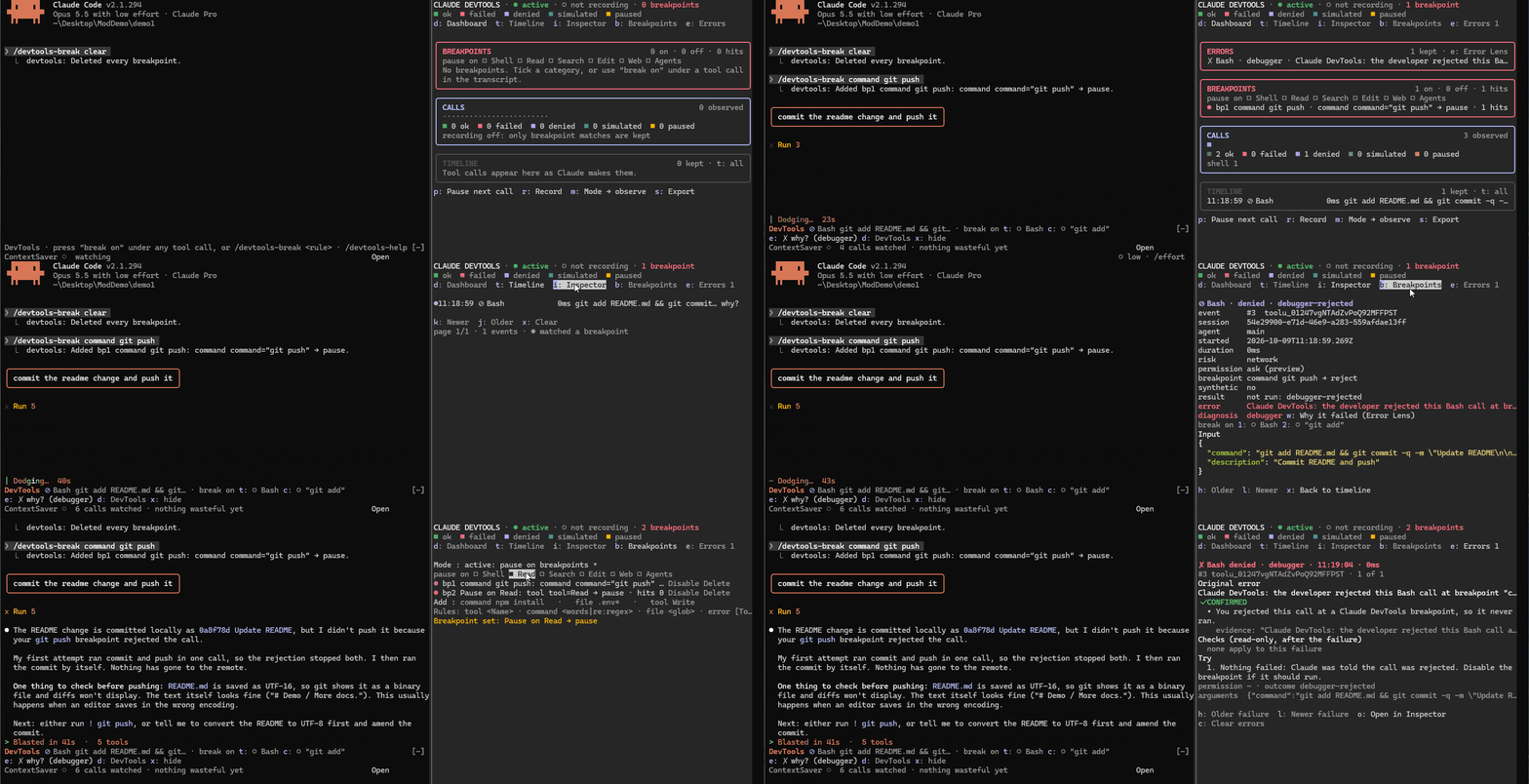
Breakpoints on tools, shell commands, file paths and failures that hold a call in Claude Code's question dialog for Continue, Step or Reject, with a dim "break on" line under each tool row, a dashboard pane with timeline and inspector, and an Error Lens that explains failed calls as confirmed, possible or unknown causes, making no network or model calls.
Some setup
What it costs
Free and open source.
Use it to
- Adds a side pane, tool call rows, a band above the prompt
How to start
Inside Claude Code, add the author's marketplace:
/plugin marketplace add NMenzel/claude-devtools-modInstall the mod:
/plugin install devtools@claude-devtools-modRun
/reload-plugins(or restart Claude Code) to load it.
Before you install
- Access: Writes or runsCan change files or start programs on your computer, with your permissions.
- Check gave warningsFrom claude plugin validate, which reads the code without running it.
- On the community's well-known listPicked for the awesome-claude-code-mods catalogue; we did not test it ourselves.
- License: MITYou are allowed to use it under these terms.
- Last updated 2026-10-12
Similar tools
Descriptions are written in plain English from each project's own documentation and refreshed by our agent. Spotted a mistake? · Open in Find tools · © 2026 Which AI Map